
Stewart Integrated Services in AccuAir
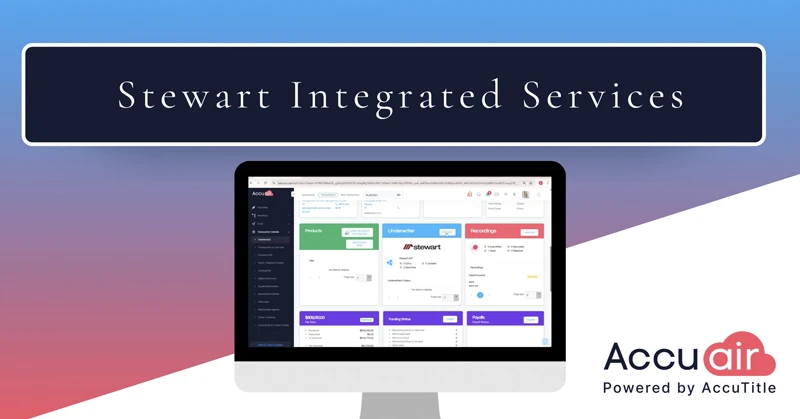
Stewart Integrated Services inside AccuAir lets title agencies order a title search, a CPL, and a policy jacket through Stewart without leaving the transaction dashboard. In this AccuAir Insights walkthrough, you will see the full workflow from start to finish: scrolling to the Integrated Services section, connecting to Stewart with credentials stored securely in your user profile, and placing each order in turn. Choose a search type from the dropdown and order a title search, then watch the results import back into AccuAir and populate the matching fields in your commitment. Request a CPL by selecting the covered party, and the document saves to both Stewart’s Integrated Services section and your AccuAir Documents section. Order a policy jacket and any endorsements you already entered in Charges and Fees carry over to the request. Back on the dashboard, track the status of every order and open the associated documents whenever your settlement team needs them.
Transcript:
Your title search, CPL, and policy jacket are all just a few clicks away, right from your transaction dashboard through Stewart’s integration.
Scroll down to the Integrated Services section on your main dashboard, and you’ll spot the Stewart logo next to your order counter. Click Connect to get started. Your Stewart credentials are stored securely in your user profile, so you’ll never have to enter them again.
First up is Title Search Ordering. Just pick the search type you need from the dropdown and click Order Search. That’s it. The moment the search comes back, the results import straight into AccuAir and populate the right fields in your commitment automatically. No copying, no re-keying.
Need a CPL? Click the CPL tab, select your covered party, and click Request CPL. It saves automatically in two spots, Stewart’s Integrated Services section and your AccuAir Documents section, so it’s always easy to find.
Policy jackets are just as easy. Select the Jacket tab, choose the jacket you’d like to create, and click Request Policy Jacket. Any endorsements you’ve already entered in Charges and Fees? They carry right over to the request, with no extra steps.
Back on the main dashboard, you can track the status of every order at a glance and pull up all your documents the moment you need them. One file, every Stewart service.






* These fields are required.